guide
|
With this system you can:
How to use it? Press the "A" key or select "Create Group" from the menu.....
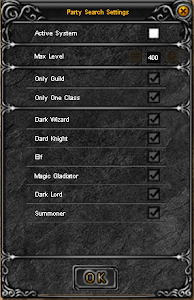
If you want to find companions for your group, you need to click on the Active System button
After you have selected everything for creation click the OK button.
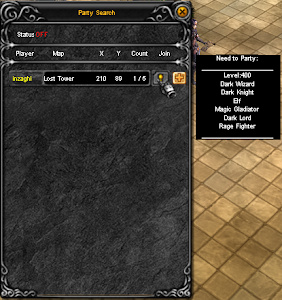
If you are looking for an already created group you need to : Press the "A" key or select "Find Group" from the menu.
If you fit the parameters and want to join, you need to click on the + button and find your group by location coordinates. Last Update: 2023-09-18 22:01:57 |
|||||